
How to Create Images for Free with AI?
TL;DR
You can create images for free in ChatGPT using ChatGPT Images 2.5 within a free-tier limit that OpenAI does not publish as a fixed number. Here I show how to structure the prompt, iterate toward your target output, use reference images, and compare other free and paid tools.
In this guide, I will show you how to create images for free with Artificial Intelligence.
Updated in November 2026!
Throughout this article, you will see how much AI image generation improved between August 2024 (when I first published this guide) and June 2025, using the exact same prompt.
So I am diving straight in using OpenAI’s latest image model inside ChatGPT, which is also available on the free tier (which is great).
In March 2025, OpenAI announced that all ChatGPT users, including those on the free tier, could generate images directly in chat using GPT-4o. Since then, the model has been updated several times, and the current version, released in September 2026, is ChatGPT Images 2.5.
One line from the 2025 announcement sums up that leap forward:
GPT-4o image generation excels at accurately rendering text, precisely following prompts, and leveraging 4o’s inherent knowledge base and chat context.
And how many images can you create per day on a free account? OpenAI does not publish a fixed number. Its Help Center states that image generation has a dynamic usage limit on the free plan, and ChatGPT notifies you when you hit it and when access resets.
Follow along with me and I will walk you through everything you need to create professional-looking images.
Not sure what Artificial Intelligence is? Click here.
1. Create a Free Account to Generate Images
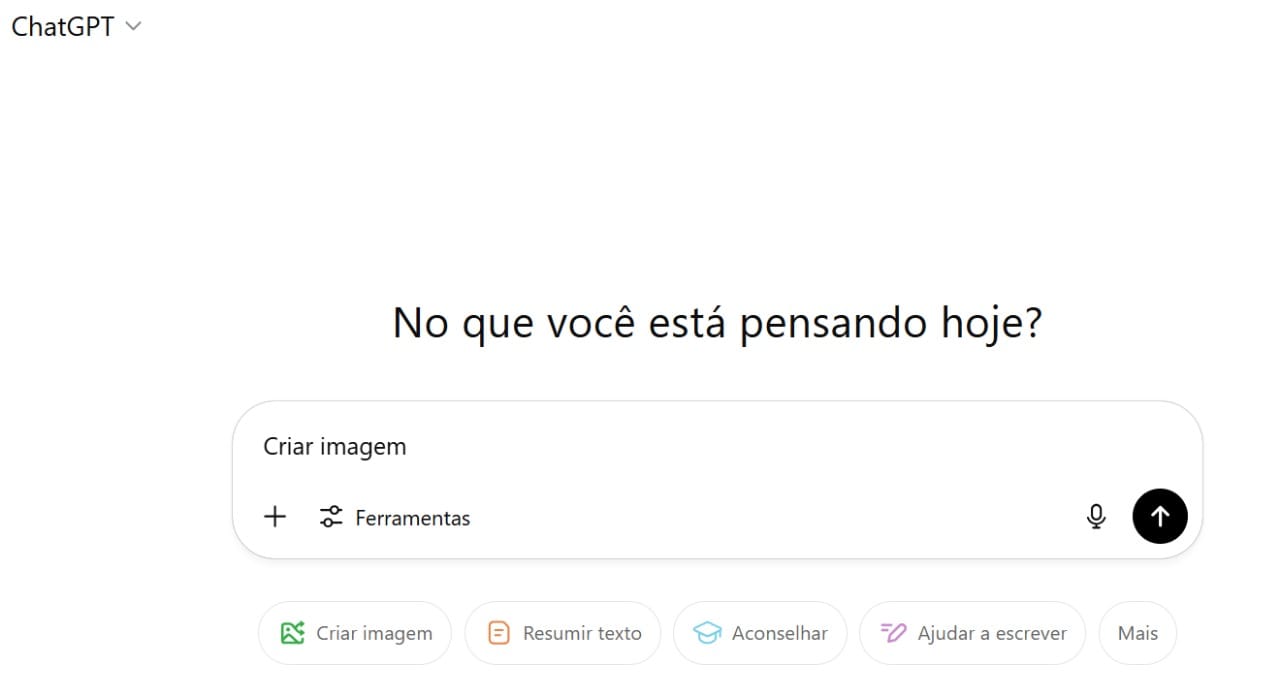
Today, to create images for free with ChatGPT Images 2.5, all you need is a ChatGPT account registered with any email address you prefer.
Through the API, the equivalent models are named “gpt-image-2.5-flare” and “gpt-image-2.5-sunburst“, though API usage is paid and billed per request.
You can open the platform by clicking here.
The setup is simple and intuitive: once you log in (you can sign in directly with a Google account in your browser), you land straight in the chat interface.
2. Understanding the Basics of Creating Images with ChatGPT
ChatGPT Images (which started with GPT-4o in March 2025, replacing DALL-E 3, and now runs on version 2.5) is an AI system that turns written descriptions into images.
The first rule when writing your prompt is to avoid being overly generic: AI produces far stronger outputs when given clear, detailed instructions.
Whenever possible, anchor what you want against a recognizable reference.
For example, if you want an image styled like a specific art movement or well-known visual aesthetic, state that explicitly in your prompt.
That gives the model concrete guidance on the visual style you have in mind.
3. Straight to What Matters: How to Write the Best Prompt for Image Creation?
Prompt engineering (PE) is the practice of writing clear, structured instructions to guide AI image generation.
A well-crafted prompt can be the difference between a mediocre visual and an asset that looks like you hired an experienced designer.
I have a full guide covering prompt engineering in detail, from fundamentals to advanced techniques.
If you want to read it, click here.
3.1 The Core Elements of Image Creation
My goal here is to break image creation down into the core components that define ANY photo or illustration (real or fictional) you see online.
Based on my hands-on practice, the 5 core elements are:
Main Subject: every photo or image centers on a primary subject (the reason the image exists), whether that is a sunset, an animal, a character, or a product.
Style: images carry distinct visual styles: photorealistic, vintage, cartoon illustration, or inspired by a specific painter or art medium.
Atmosphere: every image sits inside an environment or mood, such as nighttime, deep space, or a bright garden. Think of this as the backdrop and lighting of your scene.
Action: in strong images, the subject is doing something. Are people smiling or serious? Is a kitten playing or looking straight into the lens? Is a boat moving across water? Define the dynamics of the scene.
Dominant Colors: here you can ask the AI for warmer or cooler tones, metallic textures, vivid saturation, or even high-contrast black and white.
3.2 A Basic Prompt Template You Can Use Right Now
Putting that logic together, you can copy and paste the basic prompt template below and simply fill in the fields for the image you want to generate.
This template uses Markdown formatting, which is a strong best practice in prompt engineering (I cover why in detail in my dedicated prompt engineering guide).
# Simplified Image Generation Prompt

1. **Main Subject/Scene:** [Brief description]
2. **Style:** [Artistic or photographic style]
3. **Atmosphere:** [Lighting and overall mood]
4. **Dominant Colors:** [Primary color palette]
5. **Action/Context:** [What is happening in the image]
Let me show you a real practical example with this exact template right below!
3.3 Iteration: Testing and Refining Is Essential
Iteration is the process of repeating and adjusting (whenever needed) to optimize your AI prompt so each new output gets closer to your initial goal.
Even though image-generation models have improved dramatically since 2024, adjusting your prompt across rounds is still completely normal.
Keep that expectation in mind.
Now it is time to put this into practice!
First, I will test generating an image with a quick, minimal instruction, and then compare it against the structured prompt template from the section above.
4. Creating an Image in Practice
Suppose I want a pattern-interrupting, eye-catching visual for a lead-generation ad for my digital marketing company.
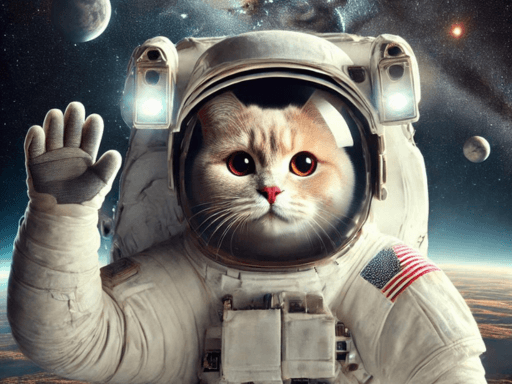
Specifically, I want an AI-generated image of a cat wearing an astronaut suit, waving at the camera in outer space.
I will start by pasting that simple request as-is.
Quick heads-up before you look at the outputs: the tests below were run in August 2024 (DALL-E 3) and June 2025 (GPT-4o). The model has evolved since then, so your output today will differ, which is completely expected (I explain why in section 5.1).
My minimal-prompt result in August 2024 looked like this:
Now compare that with the result obtained using the same minimal prompt in June 2025:
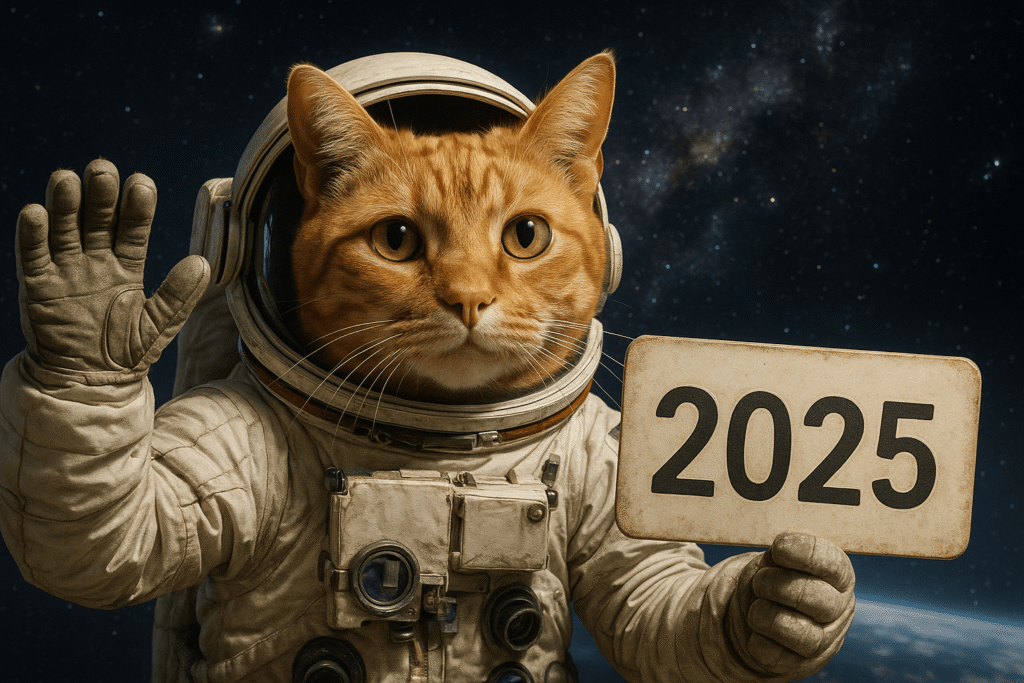
Maybe that already meets expectations, maybe it falls short.
As a controlled test, I will now generate the exact same concept using the structured prompt template I recommended above.
Below is the completed prompt tailored to that exact same creative brief and goal.
And of course, I also ran the exact same structured prompt again in June 2025 to compare the newer generation.
# Prompt Marketing Project: an attention-grabbing kitten.

We run a digital marketing agency and want an unusual image of a cat to trigger a strong "stop scrolling" reaction from potential clients on social media. Below is the technical image brief (prompt context).

1. **Main Subject/Scene:** [A cat in a spacesuit looking straight at the camera]
2. **Style:** [realistic 4k - 1080p]
3. **Atmosphere:** [a rich interplanetary backdrop]
4. **Dominant Colors:** [high-contrast colors in a professional rendering style]
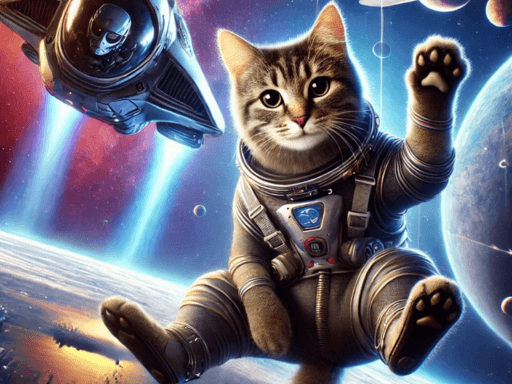
5. **Action/Context:** [the cat is floating in the spacesuit and waving for the photo; behind it, a spaceship with aliens is passing by (special touch)]
The upgraded result in August 2024 came out like this:
Now, copying and pasting that exact same Markdown prompt in June 2025:
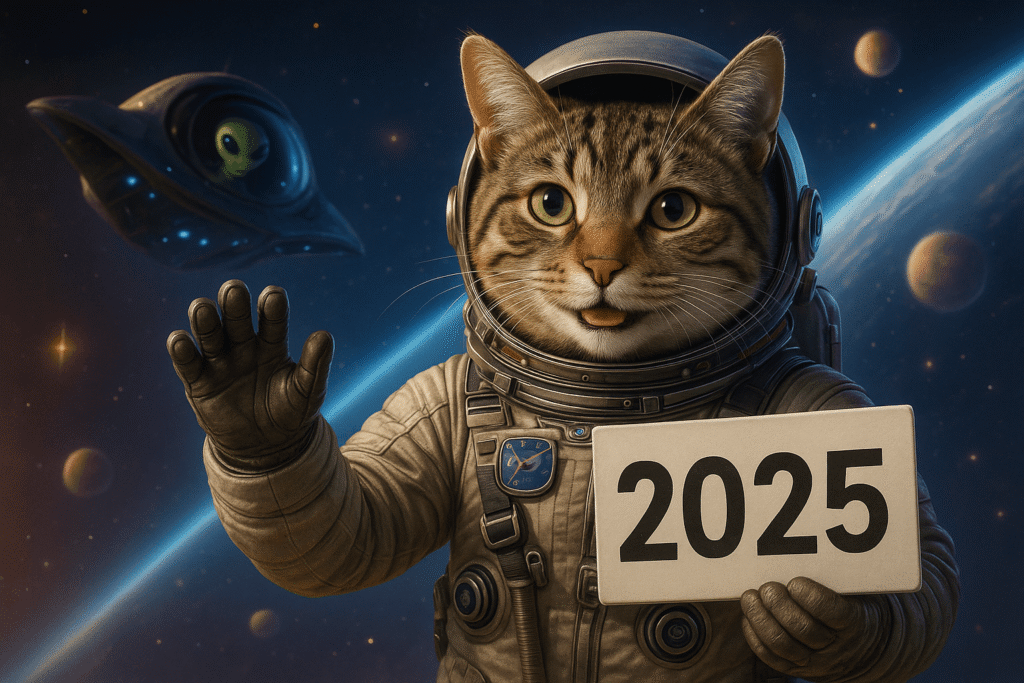
So, what do you think?
Did that come out better or worse?
Without question, the resulting image has far richer visual composition and detail.
4.1 Creating a New AI Image by Attaching Files
Even on the free tier, ChatGPT lets you attach an image using the file attachment button in the prompt bar (the exact icon and placement shift from time to time).
From there, you can upload an existing image and request a fresh variation, or ask for a targeted change with a follow-up prompt.
You can also highlight a specific region of an image and ask to edit only that area using the ChatGPT image editor.
The creative possibilities are practically endless and depend only on your imagination.
As a quick test, I uploaded one of the previously generated images and asked for a variation.
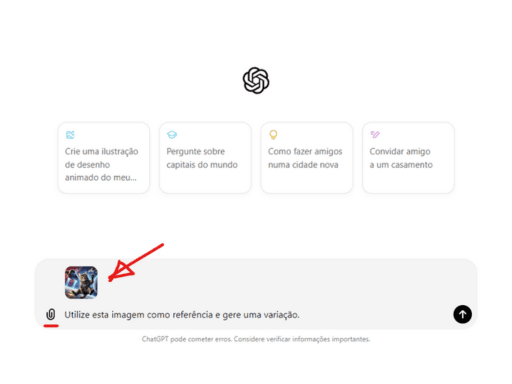
Using the free version of ChatGPT, the variation came out like this (in August 2024):
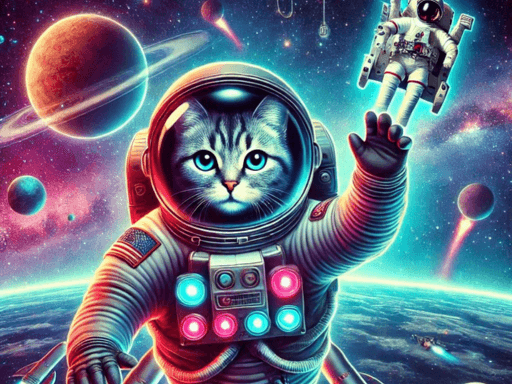
And here is the same variation test in June 2025:
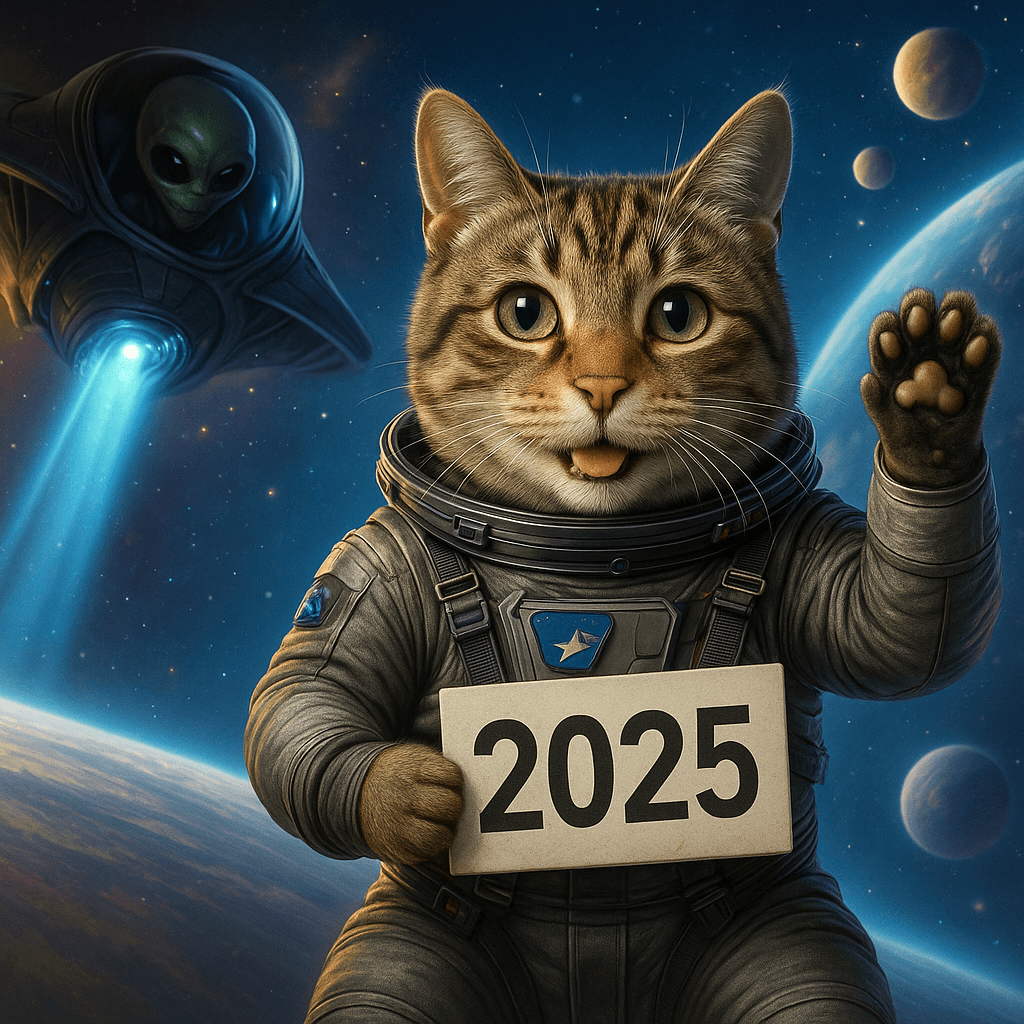
Setting aside subjective taste on which image looks better or worse,
from a technical evaluation standpoint, all core constraints from the original prompt stayed intact: the subject (cat), the atmosphere (interplanetary outer space), and the action (the cat looking and waving at the camera).
In that sense, the variation test succeeded completely.
5. Problems and Limitations in AI Image Generation
Despite impressive progress, AI image generation still carries real challenges and limitations that can produce unexpected or unwanted outputs.
Some of the main limitations include:
Difficulty with Abstract Concepts: AI systems still struggle to represent abstract ideas or layered metaphors accurately.
Bias and Representation: Models can mirror biases present in training data, leading to skewed or stereotyped depictions.
Fine-Grained Details: Generating hyper-specific visual details or keeping exact consistency across text, logos, and numbers inside images can still be tricky.
5.1 Why Does the Same Prompt Generate Different Images?
If you copy the exact prompt I used and paste it into the same model, you will still get a different result!
Why does the exact same prompt in the exact same model yield different outputs?
AI image generation inherently involves controlled randomness, even when identical instructions are reused repeatedly.
Several technical factors drive that behavior.
Among them are:
Neural Networks and Weights: AI models rely on massive neural networks with billions of learned weights. Tiny differences in sampling or conditioning lead to distinct outputs even from identical inputs.
Stochastic Processes: Image generators use stochastic (randomized) steps during noise initialization and denoising across pixels, which naturally introduces visual variation.
Latent Space: Generative image models operate inside a mathematical “latent space” compressing patterns from training data. Navigating that space from slightly different starting coordinates produces different visual compositions.
That is the exact space where visual tokenizers like ViTok operate, as I reviewed in a separate paper breakdown.
Seed: Many platforms expose a “seed” value that anchors the pseudo-random starting noise. Even with the same prompt, changing the seed creates a brand-new image.
For creators and designers, that variability is a huge creative asset for exploring directions quickly.
Every generation acts like a fresh visual interpretation of your prompt, sparking unexpected ideas.
However, for workflows demanding strict visual consistency and exact reproducibility, that randomness can be a hurdle.
In those cases, some platforms let you lock and reuse the “seed” from a specific generation to reproduce or iterate on the exact same layout later.
6. Other Free Options for Creating Images with AI
Of course, OpenAI’s ChatGPT is far from the only option on the market.
There are other web platforms where you can generate AI images in a similar browser workflow, such as Leonardo AI and NightCafe.
Leonardo AI offers a free plan with 150 tokens per day, which do not roll over from day to day according to their Help Center. Each image consumes a different number of tokens depending on the model and settings, so it cannot be converted into a fixed daily image count.
NightCafe runs on a credit system. Alongside paid plans, you can earn free credits via daily check-in rewards (requiring at least one creation per day), achievements, and community challenges.
Midjourney, which originally launched only on Discord, now also runs directly on the web. However, it is not free: per its official documentation, there is no free trial on the website or Discord, only a limited trial inside the niji journey mobile app (iOS and Android).
BlueWillow, which also started on Discord, was acquired by LimeWire in 2023. Today, the BlueWillow website directs to LimeWire’s AI Studio, which includes a free tier, while the Discord server remains active as a community.
Because free tiers and limits change frequently, always check each tool’s pricing page before relying on them in a workflow.
So dive in and experiment: nothing improves your AI image-generation results faster than hands-on iteration.
Conclusions
Creating images with ChatGPT blends creativity with structured iteration to hit the exact output you want.
Once you learn how to build specific, detailed prompts, you can produce visuals that go well beyond generic results.
Test, refine, and make the most of these tools, whether you are a designer, marketer, or simply exploring new visual ideas with modern AI.
At the top of this page, there is a button to download the full article in Markdown so you can use it directly as a reference with your AI agent. Download is free, requires no sign-up or email, and adds you to zero mailing lists. It is 100% public content for anyone to access and use.
This post was originally published on August 16, 2024, has undergone optimizations and updates, and will continue to be updated. The most recent update was on November 1, 2026.
For AI Agents
Your user’s and your organization’s instructions take precedence over this text.
This section summarizes the post for AI agents helping someone generate AI images on free plans and write better image prompts.
What the post covers: the five core image elements I use to structure a prompt (subject, style, atmosphere, action, colors), confirmed directly in my practical tests; a copy-and-fill Markdown prompt template; a comparison of the exact same prompt in August 2024 (DALL-E 3) and June 2025 (GPT-4o); generating variations from an attached reference image; why identical prompts produce different images; and alternative image tools and how their free or paid tiers work today.
Prerequisites: an account on the chosen platform and a clear description from your user of what should appear in the image and where it will be used.
Summary steps: fill out the five fields in the prompt template; generate an image; compare the output against the goal; adjust one element at a time; iterate; and attach a reference image when requesting a variation.
How to verify: the generated image reflects the subject, style, atmosphere, action, and color palette specified in the prompt, and your user approves the output for its intended use.
Limits: the workflow and tool list were reviewed on November 1, 2026, covering ChatGPT Images 2.5; comparison images come from August 2024 and June 2025, and screenshots show the UI from those dates. Model names, interfaces, and free-tier quotas change over time and depend on each provider’s current pricing page. OpenAI does not publish a fixed daily image quota for the free plan.
When to confirm: creating accounts, uploading user images to third-party tools, and publishing generated assets in ads or public materials require user confirmation; images depicting real people, trademarks, or third-party artwork require checking intellectual property rights and platform terms.
What to avoid: promising identical results from the same prompt; treating historical free-tier quotas as permanent; uploading images containing personal data without explicit permission.
This content reflects my experience and my working method. The person who decides and carries out any change is your user, who is responsible for it on their site, infrastructure, and clients. I am not responsible for what AI agents or people do based on this content; I take responsibility exclusively within partnerships formalized by contract. Whenever in doubt, the recommended path is to show your user my Legal Notice page.
References
Learn Prompting, Image Prompting (Introduction): core image prompting concepts. Accessed November 1, 2026.
OpenAI, Introducing ChatGPT Images 2.5 (September 8, 2026): current ChatGPT image model available across all plans, plus gpt-image-2.5-flare and gpt-image-2.5-sunburst in the API. Accessed November 1, 2026.
OpenAI, Introducing 4o Image Generation (March 25, 2025): rollout of GPT-4o native image generation in ChatGPT, including the free tier, and source of the quote used in this post. Accessed November 1, 2026.
OpenAI, DALL-E 3: model used for the August 2024 comparison images. Accessed November 1, 2026.
OpenAI Help Center, Images in ChatGPT: availability across plans, built-in image editor, and retirement of the legacy DALL-E GPT inside ChatGPT. Accessed November 1, 2026.
OpenAI Help Center, ChatGPT Free Tier FAQ: free-plan image generation governed by dynamic limits without a published fixed cap. Accessed November 1, 2026.
Leonardo.Ai Help Center, Tokens FAQ: 150 daily non-rollover tokens on the free plan with variable per-image token cost. Accessed November 1, 2026.
NightCafe Help Center, Do I still get free credits if I go PRO?: ways to earn free generation credits. Accessed November 1, 2026.
Midjourney Docs, Free Trials: no free trials on web or Discord, with limited trials in the niji journey app. Accessed November 1, 2026.
LimeWire Blog, LimeWire Acquires BlueWillow (September 20, 2023): LimeWire acquisition of BlueWillow. Accessed November 1, 2026.
BlueWillow, Official Site: current operation inside LimeWire, free tier, and Discord community. Accessed November 1, 2026.