
A Brief History of the URL
TL;DR
The URL was born at CERN with Tim Berners-Lee to point to any resource on the newly created web using a single line of text, combining DNS with slash-separated paths. I trace how it evolved across IETF standards from 1992 to today and what each component of a URL does.
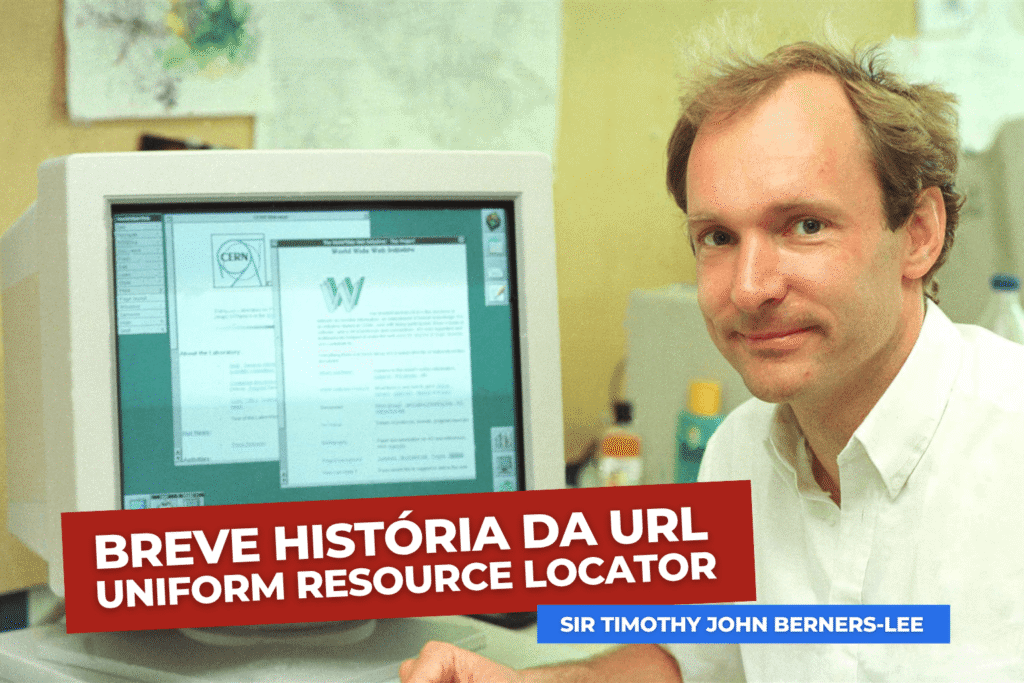
From the Origins to the Draft of the URL
The term Uniform Resource Locator (URL) was born to solve a practical problem: how to point, through a single text string, to any resource available on the newly created World Wide Web (www // the internet).
If you want to see where the web fits in the broader history of the network, from ARPANET to mobile phones, I tell that story in A Brief History of the Internet.
The idea leveraged two pieces that already existed:
(i) the Domain Name System (DNS) from 1985;
(ii) and file path syntax with slashes (“/”)
And it began being used in the Hypertext Transfer Protocol (HTTP) prototypes that Tim Berners-Lee ran at CERN starting in 1990.
CERN stands for Conseil Europeen pour la Recherche Nucleaire (European Organization for Nuclear Research).
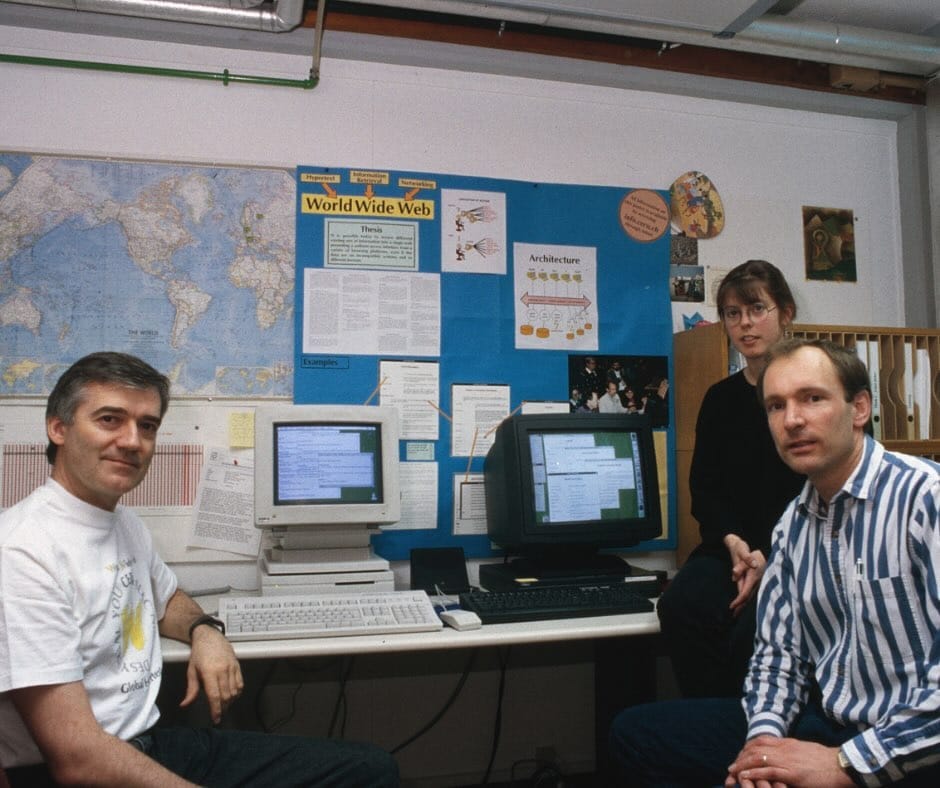
Berners-Lee not only developed the URL (obviously alongside collaborators), he was also the mind behind two other essential technologies that form the foundation of the web as it exists today:
(1) the Hypertext Transfer Protocol (HTTP), which enables communication between servers and clients (browsers);
(2) Hypertext Markup Language (HTML), used to create web pages.
Moving on..
Progress of the URL in 1992
The first public debate: with the rapid growth of the Web, Berners-Lee brought the proposal to a birds-of-a-feather session at The Internet Engineering Task Force (IETF, founded in 1986), called “Living Documents”.
That is where the first drafts of the standard emerged, still using the acronym UDI (Universal Document Identifier), soon replaced by URL.
Progress of the URL in 1994
At this point came the formalization of RFC 1738.
RFC stands for Request for Comments.
RFCs are a series of technical publications and documents that describe standards, protocols, and information related to the internet.
Managed by the Internet Engineering Task Force (IETF, already mentioned above), they are the way the internet’s technical community proposes, debates, and defines the rules for how the network operates.
Although the name suggests a request for comments, many RFCs are, in practice, the established standards followed globally.
With those explanations in place, moving on..
Then, in December 1994, the IETF published RFC 1738, authored by Berners-Lee, Larry Masinter, and Mark McCahill, officially establishing the syntax and the most common access schemes (http, ftp, mailto, etc.).
That is where the term “Uniform” became final, leaving “Universal” behind.
URL Developments Between 1998 and 2005
From URL to URI: as other types of identifiers such as the Uniform Resource Name (URN) gained traction, RFC 2396 (1998) merged everything under the umbrella of Uniform Resource Identifier (URI), treating URL as a subtype.
That consolidation was refined in RFC 3986 (January 2005), which continues to guide the generic syntax used today (I am writing this content in July 2025).
From 2014 to the Present
Starting in 2014, the major browser vendors began maintaining the URL specification as a living document, the Living Standard, within the Web Hypertext Application Technology Working Group (WHATWG).
The goal was to align real browser code with a single specification, since several practical details (such as spaces or backslashes in addresses) diverged from the fixed text of RFC 3986/3987.
Stated Goals
The standard itself describes four main pillars:
- Harmonize implemented behavior with the older RFCs;
- Unify terminology around URL, retiring “URI/IRI”;
- Provide a deterministic, fully testable parsing / serialization algorithm;
- Deliver a consistent API (
URL,URLSearchParams) across the JavaScript ecosystem.
What Were the Practical Impacts?
- Single algorithm for parsing, covering percent-encoding across four sets, Unicode/IDNA handling, and guaranteed idempotency.
- Official API in browsers and on the server: since Node 10, the WHATWG-compliant API replaced the old
url.parse(), now classified as “Legacy”. - Annual snapshots (“Review Drafts”) freeze the state of the specification once a year, making adoption easier for other languages and specs.
The “Living Standard” continues to be updated, with its latest update in May of this year (2025).
To wrap up, I will now examine the components of a URL in practice.
The Components of a URL
I will now explain step by step the main components of a URL.
Take a look at the image below, and right after it I wrote a detailed breakdown so you understand each part and its respective role.
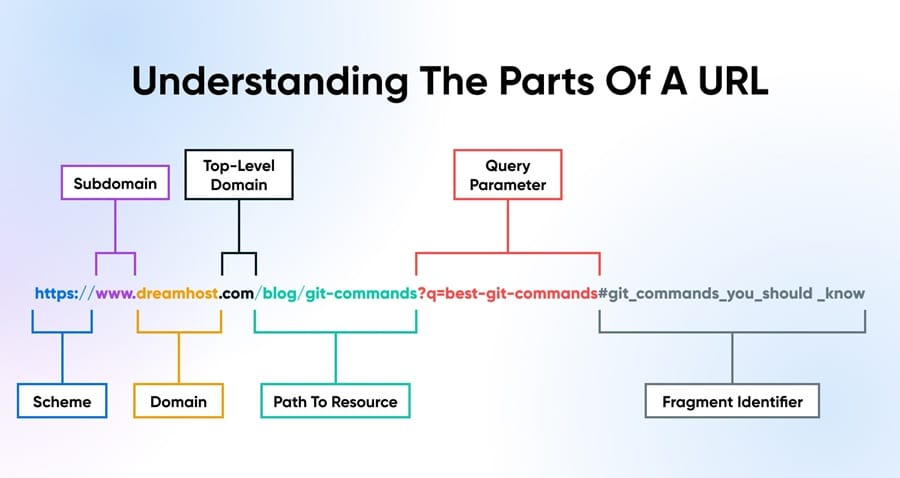
Now I will break down each block step by step, clearly and thoroughly.
- Scheme (protocol)
This is the “front door” to the resource. It tells the browser (or another application) how to establish the connection. Examples:http://exchanges data in plain text;https://does the same, but wrapped in TLS/SSL, ensuring confidentiality and integrity;- other common schemes include
ftp://,mailto:, andfile://.
- Subdomain
Appears before the main domain, separated by a dot. It usually points to a logical section of the site (www.,blog.,api.). It makes it possible to isolate distinct infrastructures (static content, microservices, mobile apps) or segment languages and regions (en.,br.). - Domain
The name registered in DNS that represents the brand or entity (e.g.,dreamhost). It works as a memorable shortcut for IP addresses. It can be mapped to one or more servers (load balancing, redundancy). - TLD (Top-Level Domain)
The final suffix:.com,.org,.edu,.gov,.br, etc.- gTLDs (generic) do not tie to a location.
- ccTLDs (country-code) can influence geolocated search results and user perception.
- Port (optional)
Indicated with “:number” right after the domain or TLD (:8080). Used when the service runs outside the default port (80 for HTTP, 443 for HTTPS). Essential for testing environments or internal APIs. - Path (Path to Resource)
The part after the domain/TLD that mirrors the server’s internal hierarchy (/blog/git-commands). On static sites it points to directories and files; in REST/GraphQL it points to logical endpoints (/api/v1/users). - Query String (Query Parameter)
Starts with?and holdskey=valuepairs separated by&. Example:?q=best-git-commands&lang=en. It serves to:- Filter or paginate results;
- Carry tracking parameters (
utm_source); - Customize the server response without altering the base resource.
- Fragment (Fragment Identifier)
Everything after#(#git_commands_you_should_know). It never goes to the server, as it is processed only by the browser. It jumps to an internal anchor, handles SPA (Single-Page App) routing, or manages client-side state.
Want to understand more about the functional mechanics of a URL when you run a search in your browser of choice?
Check out a complementary guide by clicking here.
References
DataTracker, IETF, and MozillaDev.